1. What is MalwareBell?
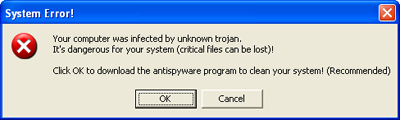
It is a rogue computer security software, which tends to exaggerate PC scan reports in order to scare user, and that is why MalwareBell (Malware Bell) is also known as a scareware. The program displays "System Error" messages that warn user of malware infections and ask to download antivirus software to eliminate threats. Computer scan process will be launched right after MalwareBell has been installed, which will generate a report in the end containing non-existent threats or non-spyware applications, which are being considered as malicious objects.
"System Error!" alert:
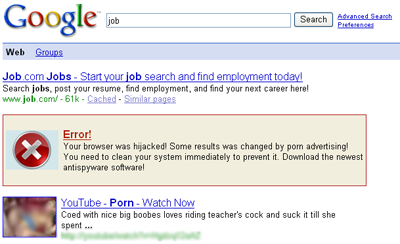
Under the influence of a trojan, Google search engine results will now be corrupted, containing adult related links and an advertisement of MalwareBell, which alerts user about his browser being hijacked convincing user to download the program.
Google corrupt search results affected by Malware Bell:
Author: malwarebell.com
"System Error!" alert:
Under the influence of a trojan, Google search engine results will now be corrupted, containing adult related links and an advertisement of MalwareBell, which alerts user about his browser being hijacked convincing user to download the program.
Google corrupt search results affected by Malware Bell:
Author: malwarebell.com
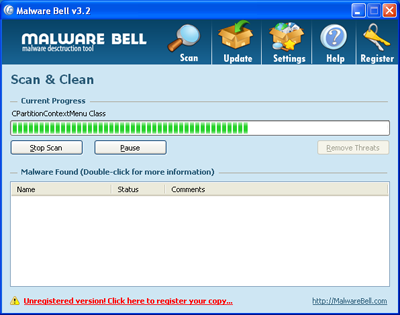
2. MalwareBell screen shot:
3. How to remove MalwareBell:
- Internet connection might be disabled or Internet browser might be blocked by MalwareBell, so it won't be possible to download any files to infected computer. In this case please download all files required for MalwareBell removal to another computer and then transfer them on the infected one using CD/DVD or USB flash drive.
- To remove MalwareBell download Spyware Doctor and install the program (for the installation guide click here). Before installation, make sure all other programs and windows are closed.
-
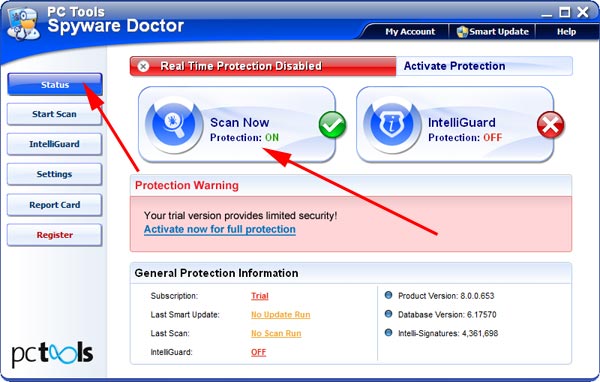
After the installation, computer scan should be started automatically. If so, please move to the next step. If not, click "Status" on the left side menu and press "Scan Now" button to run computer scanner as shown in the picture below:
-
After the scan has been completed and scan results have been generated, press "Fix Checked" button to remove MalwareBell.

- Restart the computer to complete MalwareBell removal procedure.